What “region lock” actually means on a gift card
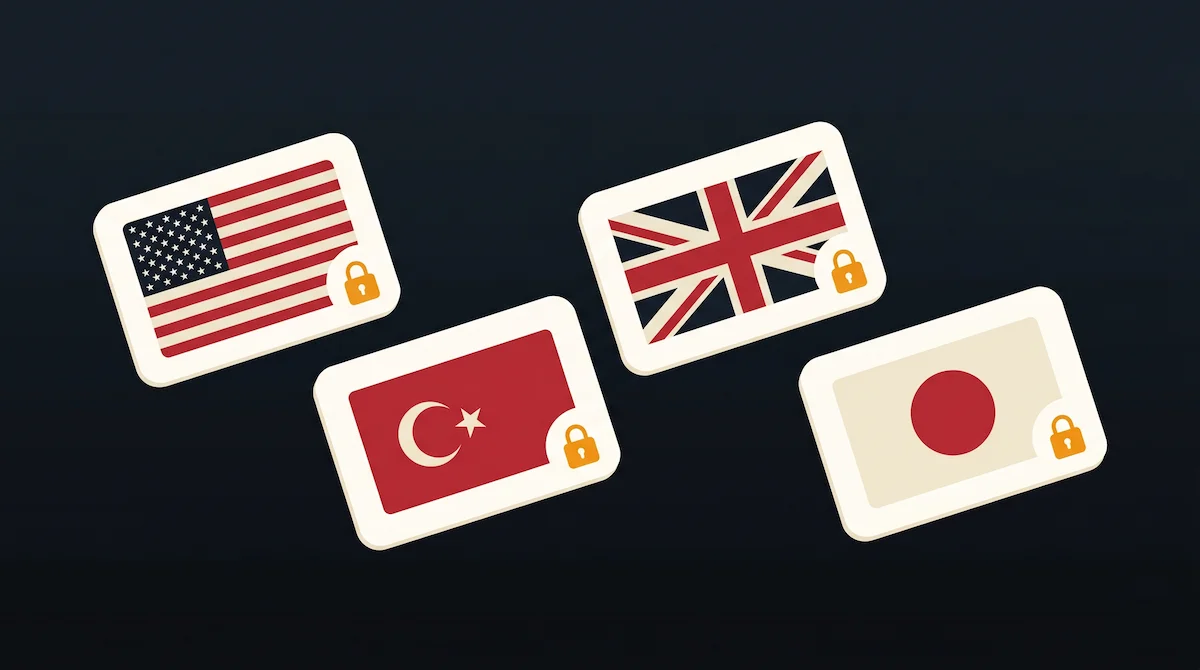
Region lock on a digital gift card is the rule that the code you redeem must match the country or currency zone of the account you redeem it on. It is enforced by the storefront, not by the reseller, and it is the single most common reason a gift card purchase ends up useless.
Two regions are in play on every purchase: the region of the gift card (set when the card is issued, printed on the voucher) and the region of the account (set when the account was created or last changed). If they match, the code redeems. If they do not, the storefront rejects it, and the same storefront will not refund a code that failed to redeem on a mismatched account.
A separate idea sits next to region lock and often gets confused with it: the region of the platform you buy the card from. Rekodo is a global platform, which means users in any country can access and purchase. The codes inside the catalog, however, are regional. Global access to the platform, product-level regional redemption on each code. Buying from anywhere is fine. Buying the wrong region is not.
The short answer by platform:
| Platform | Lock type | Rule |
|---|---|---|
| PlayStation Store (PSN) | Country-locked | Code must match the country of the PSN account |
| Xbox / Microsoft Store | Region-locked to account | Account region change allowed once every 3 months, balance spent first |
| Steam | Currency-locked | Code currency must match the account’s store region (tied to primary payment method) |
| Nintendo eShop | Currency-zone-locked | Code redeems only inside the currency zone of the country that issued it |
The rest of this guide walks each platform in detail, explains how to pick the correct region before buying, and covers what to do (and what you cannot do) if the purchase lands on the wrong region.
Region lock by platform at April 2026
Each storefront enforces region lock with its own rules. The policies below are current as of this writing and anchored in each platform’s official documentation.
PlayStation Store (PSN)
Sony’s position is documented plainly in PlayStation Store voucher code problems. Voucher codes are country-specific unless the voucher says otherwise. To redeem a code, the PSN account must be registered in the country the code was issued for. This is the country-locked language PSN uses. A US code does not work on a UK account, a Japanese code does not work on a Mexican account, and so on.
The country of a PSN account is set when the account is created. It cannot be changed freely. Chasing regional pricing through region-switching tricks tends to create more problems (a flagged account, purchases stuck in the wrong region) than it solves.
Xbox and Microsoft Store
Microsoft’s policy is laid out in the change your country or region in Microsoft Store documentation and reinforced in the Xbox region block support page. Gift cards are tied to the account’s region. If you want to change the region of your Microsoft account legitimately (moving countries, for example), Microsoft allows one change every three months, and any account balance must be spent before the switch, because balance does not transfer across regions.
Community reports as of April 2026, from VPN-focused blogs and gift card hubs, indicate Microsoft has tightened enforcement on repeated region switches and payment-method mismatches. This is not confirmed by an official Microsoft change-log; treat it as context, not policy.
Steam Wallet and gift cards
Valve’s position is in Steam Support: Region Restrictions and the Steam Wallet FAQ. The currency of the code must match the currency of the account’s store region. A code in USD does not work on an account whose store is set to Argentine pesos or Turkish lira. Two sub-rules matter in practice. The account’s store region is set based on the country of its primary payment method, which is not something the user can change freely. And two specific regions, Argentina and Turkey, have additional restrictions where digital gifts can only be sent between accounts with the same stated nationality.
Industry reporting as of April 2026 suggests Valve is phasing out Steam Wallet Codes globally (source: Lotkeys and similar industry coverage). This is not confirmed by Valve’s official support documents. Existing codes remain redeemable; the retail channel through which new codes reach shelves is the part reportedly changing.
Nintendo eShop
Nintendo’s Regional Compatibility FAQ is unambiguous. Cards are tied to the currency zone of the eShop that issued them. A USD card from the United States eShop only redeems on an eShop account set to the United States. A euro-zone card works across any European eShop inside the euro zone (Germany, France, Netherlands, and others). A Japanese yen card only redeems on a Japanese eShop account. Cross-zone redemption is not permitted, and Nintendo will not refund, replace, or exchange a card that was purchased for the wrong zone.
How to pick the right region before you buy
The single most effective step is checking your account region before the purchase. Thirty seconds of verification beats hours of trying to reverse a wrong-region redemption that cannot be reversed.
Check your account region first
Where to look, by platform, without changing anything. On PSN, the country shows in Settings, Account Management. On Xbox, the region is visible in the Microsoft account settings under Country or region. On Steam, the store country appears in Steam Account details under Store Country. On Nintendo, the country is on the Nintendo Account profile.
The point at this step is observation, not modification. Xbox does allow a legitimate region change (one every three months, balance consumed before the switch), but switching region is not the path this guide recommends for a gift card purchase. Match the card to the account as it stands today, not to a region you plan to change to.
Match the gift card region to the account region
The rule is mechanical. The code follows the account, not the buyer. If the gamer’s Xbox account is set to the United Kingdom, the card to buy is Xbox UK, regardless of where the person paying with crypto lives. A purchaser in Nigeria buying for a UK Xbox account still buys the UK card. The purchaser’s location is not a factor; the account’s country is the only factor that matters for redemption.
Special cases: regional pricing and separate accounts
Some regions (Steam Argentina, Steam Turkey, PSN Turkey in particular) price below global averages for historical and currency reasons. A gamer living in one of those regions legitimately, with a payment method from that country, buys the regional card and benefits from regional pricing without friction. A gamer outside that region who creates a new account to chase cheaper pricing runs into Steam’s payment-method rule on one side and the Argentina or Turkey gift-between-friends rule on the other. Steam has historically flagged accounts that repeatedly trade across regional pricing. The realistic path is: if the account is legitimately regional, buy regional. If it is not, buy the region that matches.
VPNs and region-lock risks
A short note on VPNs, because the question always arrives. Using a VPN to change an account’s region or to mask a payment method’s country contradicts Steam’s Subscriber Agreement and the spirit of Microsoft’s and Sony’s regional policies. Accounts flagged for VPN-based region abuse can be restricted or terminated, and payment-method mismatches trigger automatic flags at Valve and Microsoft.
The cleaner and boring path is buying the gift card region that matches the account’s real country. It is one purchase decision made once per code, against months or years of an account that remains in good standing.
What to do if you bought the wrong region
Wrong-region purchases happen. The options depend on whether the code has been redeemed.
Before redeeming the code
The code is still usable by anyone with the right account, so the options are: resell privately to someone whose account matches the card’s country, gift it to a friend or family member in that country, or contact the seller to see if a swap for the correct region is possible. Not every seller supports swaps, and after delivery most platforms (including Rekodo) treat the code as delivered and non-returnable for reasons tied to fraud prevention.
After redeeming on the wrong account
Once the code is redeemed, the major storefronts do not reverse the redemption. Sony explicitly declines in its voucher code terms. Microsoft does not reverse redeemed balance across regions. Steam support accepts tickets and typically denies them, because the wallet credit cannot be moved between currency zones. Nintendo is the most categorical: no refund, no replacement, no exchange for a wrong-zone card.
The lesson is the same across all four. Thirty seconds of verification before purchase outranks any post-redemption remedy, because the remedy is rarely available.
Buy the correct regional gift card with crypto on Rekodo
Rekodo’s catalog lists regional variants explicitly so the purchaser does not guess. Coverage counts below match the catalog at this writing (April 2026); Rekodo’s catalog expands over time. For PlayStation, the catalog covers roughly 48 regions including USA, UK, Turkey, Argentina, Spain, France, Germany, Japan, KSA, UAE, and more. For Xbox, around 30 regional variants plus global SKUs for specific product lines (Xbox Games Global, for example). For Steam, around 27 regions including USD Global, with heavy coverage of Turkey, Argentina, Brazil, Chile, Colombia, India, and Southeast Asia. For Nintendo eShop, browse the catalog for current regional coverage.
Payment is in stablecoins or Binance Pay. USDT/USDC on Polygon, Solana, BSC, Ethereum, TRON. Binance Pay supported. Crypto converts to USD at deposit. No crypto held in platform wallets. Automatic delivery after on-chain confirmation of the deposit. Pricing lands around 5% below face value on supported brands (tier-dependent); pricing varies by brand and region, so check the catalog for the current price per product.
Everyone starts at Retail. Reseller and Wholesale tiers have lower prices and higher monthly funding limits. Tier changes are reviewed manually by the Rekodo team: to request one, open a support ticket with your expected monthly volume.
Other options on Rekodo
This guide focuses on region lock specifically. Two related guides cover the adjacent questions:
For the overall flow of buying PSN, Xbox, or Steam gift cards with crypto when no credit card works, see how to buy gaming gift cards with crypto, no credit card needed. That piece covers the full stablecoin-to-code pipeline and the regional pricing dynamics in more depth.
For a brand-by-brand buyer’s guide covering the eight most-bought gaming gift cards (PSN, Xbox, Steam, Nintendo eShop, Roblox, Razer Gold, Garena Free Fire, and Fortnite V-Bucks) with what each card buys, who it serves, and what to double-check before paying, see best gaming gift cards to buy with crypto in 2026.
For platform selection more broadly (where to buy crypto-priced gift cards safely after the 2026 Bitrefill breach), see Bitrefill alternative: safe platforms to buy gift cards with crypto in 2026. That one compares Rekodo against other tier-1 platforms and covers the security considerations that became visible after the hack.
Pick the region that matches the account. Fund the Rekodo wallet with stablecoins or Binance Pay. Buy the regional card explicitly. Redeem once, without surprises.